物品
| “ | 我要把它和其它物品一起放在我的战利品储藏间里!
点击试听 (英语)
— 侦察兵刚解锁了他游戏中的第三件游戏物品。
|
” |

物品(Items)是指玩家们能够在《军团要塞2》中获取与使用的各种道具。除了武器和部分带有交互性的嘲讽之外,多数类型的物品仅起装饰性作用而不会影响到游戏过程。
目录
类型
游戏中有以下五种类型的物品:

|

|

|

|

|
| 武器 | 饰品 | 工具 | 动作物品 | 嘲讽 |
|---|
物品发布日期
获取物品
物品掉落系统
获得物品的最常用途径便是通过物品掉落系统。每当玩家进行一段时间的游戏(挂机时间不会被计算在内),物品掉落系统便会分配一件随机物品给该玩家。
当玩家收到物品后,该物品会自动被放置到玩家的背包中,并于屏幕上显示其为新获取的物品,同时系统会在该玩家所在的服务器发送一条提示消息。
能够通过该方式获取的物品包括某些武器,曼恩公司供应箱,饰品,与工具。
玩家每周有几率获取物品的游戏时间是有上限的,一周内游戏时间超过该上限的玩家将无法通过该系统获取更多物品
成就
成就系统是用于获取除默认武器外的物品的最初方法(2007年即有)。
每个职业的专属成就中都有三个里程碑成就,它们会在玩家达成该职业成就一定数目时解锁。而每达成一个里程碑成就,系统就会奖励给该玩家一件特定职业物品(不包括炮艇)。即使玩家将成就重置,这类奖励也只能够获取一次。
除了里程碑成就外,其它的个别成就也能够获取物品。比如通过成就“夺取可怕的摺叠礼帽”可获取幽灵折叠礼帽,通过成就“新的视野”可获取火焰兵的奇幻护目镜。
此外,有个别促销物品可通过解锁Steam上的其它游戏成就而解锁。
购买
玩家可以消费Steam钱包中的现金来直接在曼恩公司商店购买物品。曼恩公司商店在曼恩企业更新中被加入,它向玩家提供了除掉落、合成、交易之外的另一直接获取物品的途径。且社区贡献物品的作者会从他们的作品所带来的收益中获得一定的分红。
在以前的版本中,从曼恩公司商店购得的物品是不可用于交易或合成的(除了个别工具类物品,如油漆桶)。但是,通过商店消费而获取的奖励物品(比如在曼恩公司商店包裹推出前,每消费$20而附赠的奖励物品)是可以用于合成的,且将从商店购买的礼物包装用于其它物品后也可使其变得可交易。
在当前的版本中,任何自2012年11月21日补丁后从曼恩公司商店购买的饰品将可以用于合成。
供应箱
玩家可使用曼恩公司供应箱钥匙(任何钥匙最初都来自曼恩公司商店)来开启一件曼恩公司供应箱。任何通过开启供应箱获取的物品都是可交易的,并且开启供应箱也是除交易之外的唯一获取稀有物品,奇异物品与奇异武器升级部件的方式。此外,某些特殊物品,如机器舞社区更新中加入的机械化物品,只能够通过特定的供应箱获取。每个曼恩公司供应箱都有着其唯一的序号,每个序号都对应着一套有几率通过开启供应箱而获取的物品。
合成
玩家可以将其不想要的与多余的物品(例如已拥有的物品)用于合成而获取其它物品,例如饰品或金属。
玩家们必须使用特定的蓝图以合成物品,如果想要不按照某一蓝图而使用一系列物品来合成,将不会有任何新物品产出,用于合成的物品也都将返还到玩家的背包中。
礼物
玩家可以通过接收来自其他玩家的礼物而获取物品。礼物包装工具可以用于将某一物品(甚至是不可交易的物品)打包为礼物,并交易给其他玩家(包括不在线的玩家)。
此外还有一些其它的礼物类工具可用于向当前服务器的随机玩家赠送物品,其中有些会赠送随机物品,有些会赠送特定物品。
交易

交易系统能够让玩家间自由交换物品,但仅限能够参与交易的物品。
促销
一些饰品与武器将作为其它 Steam 游戏的促销活动奖励物品而发送给玩家,这些游戏包括《求生之路 2》,《山姆和麦克斯:魔鬼剧场》,《异形丛生》,《百战天虫:重装上阵》,《扑克之夜》,《杀戮空间》',《周一格斗之夜》,《时空裂痕》,《国土防线》,《幕府将军2:全面战争》,《足球经理2012》。
在2011年2月3日补丁后,促销活动的奖励物品都将以纯正品质发放。
活动
有一些特殊的活动物品,例如令人不安的万圣节面具、万圣节面具、黄金扳手、绅士的服役勋章与萨氏金像奖小金人,只能够通过于特定时间参与特定活动而获取。
决斗
每当玩家提升他们的决斗等级(通过赢得10次决斗),该玩家将会收到一件可使用5次的决斗迷你游戏,同时还会获得一个随机掉落的物品。通过决斗可能获取的随机物品,与通过物品掉落系统可获取的物品基本一致,包括武器、饰品与各种工具,但不包括曼恩公司供应箱。
社区贡献
社区物品是由Valve发送给杰出社区贡献者的奖励物品。从已有历史上看,这些杰出社区贡献者包括在Steam 创意工坊上传优质地图或模型的作者,协助Valve进行翻译或漏洞修复的用户。社区物品还有其它的获取方式,例如Steam创意工坊中的物品被采纳到游戏中后,其作者会收到自制品质的相应物品。而在军团要塞官方维基作出杰出贡献的用户将收到维基军帽。
社区市场
玩家可以消费 Steam 钱包中的现金来在 Steam 市场上购买物品。物品可以在市场主页或者玩家的个人背包中上架。目前,可交易的物品包括工具,节日武器,机器人毁灭者武器,稀有与奇异物品,连杀工具包,连杀工具包加工器,连杀记录武器,化学试剂组以及特等,纯正或闹鬼品质物品等其它物品。
当在市场销售物品时,10%的最终收款金额将附加在售出金额上。任何从Steam 社区市场购买的物品将会立刻被添加到购买者的背包中,而现金也将立刻转移到售出者的 Steam 钱包中。
合同
玩家使用合同追踪器完成启用的合同后将能够获得奖励物品,可能的奖品包括但不限于饰品、战绘、武器。佣兵公园合同还会奖励玩家血色奖券,玩家可以使用血色奖券来在佣兵公园纪念品商店中选择兑换中意的奖品。玩家们并不需要完成合同的次要目标(奖励目标)来获得奖品,只需要达成主要目标即可领取。在玩家启用一个合同前,每个合同都会展示其需要的特定武器(如果有的话)与达成后的奖励。如果玩家没有一个合同所需使用的特定武器,借用系统将会暂时发送一个试用物品供玩家使用,直至该合同被关闭。
绝版物品
有一些物品已经绝版了,这意味着它们不再能够通过商店购买、合成、掉落或开启供应箱而获得了。唯一获得它们的办法是从其他玩家手里交易,从市场购买,或者通过礼物形式接收。对于限量物品,可以通过开启包含它们的供应箱而获取。
限量
限量是一种不再能够通过合成、掉落、购买或开启供应箱(除非它们在供应箱的描述中被列出)而获取的物品所带有的属性。可交易的限量物品仍然可以在Steam社区市场上进行买卖。
| 带有限量属性的物品列表 | ||||||||||
|---|---|---|---|---|---|---|---|---|---|---|
| 武器 | 副武器 | 
| ||||||||
| 突变牛奶 | ||||||||||
| 饰品 | 
|

|

|

|

|

|

|

| ||
| 击球手头盔 | 必不可少的运动装备 | 人字拖 | 幸运 42 | 巨大礼物袜 | 嗜血头带 | 谄媚者的衣领 | 小丑靴子 | |||

| ||||||||||
| 行骗者的面具 | ||||||||||
| 饰品 | 
|

|

|

|

|

|

| |||
| 士兵的猫眼带 | 绅士的服役勋章 | 百战天虫战盔 | 圣诞之战毛绒帽 | 圣诞之战毛绒袜 | 孤独的幸存者 | 骷髅贝雷帽 | ||||
| 饰品 | 
|

|

|

|

|

|

|

| ||
| 火焰兵的无边帽 | 福斯特先生的面罩 | 证券经纪人的领带 | 便携式圣诞雪景球 | 倒霉的雇佣兵 | 黑骑士面罩头盔 | 焦黑鳞甲 | 火焰术士的兜帽 | |||

|

| |||||||||
| 纵火者的制服 | 火炬手的战袍 | |||||||||
| 饰品 | 
|

|

|

|

| |||||
| 爆破手的埃弗罗发型 | 纵横七海 | 苏格兰毛线帽 | 风暴战靴 | 瓦尔哈拉头盔 | ||||||
| 武器 | 近战武器 | 
| ||||||||
| 咬人的面包 | ||||||||||
| 饰品 | 
|

|

|

|

| |||||
| 橄榄球头盔 | 发牌员的遮阳帽 | 长毛熊怪 | 森林爷爷 | 西伯利亚裹脸帽 | ||||||
| 武器 | 近战武器 | 
| ||||||||
| 黄金扳手 | ||||||||||
| 饰品 | 
|

|

|

|

|

| ||||
| 矿灯 | 海豹棒棒 | 秃顶牛仔的装束 | 报警员 | 检测者的保暖大衣 | 绝热层 | |||||
| 饰品 | 
|

|

|

| ||||||
| 普鲁士头盔 | 口袋机枪手 | 外科医师的行军帽 | 无名之人 | |||||||
| 武器 | 副武器 | 
| ||||||||
| 迷人的生命体 | ||||||||||
| 饰品 | 
|

|

|

|

|

|

|

| ||
| 战利品帽带 | 红鼻子驯鹿鲁道夫 | 圣诞驯鹿头 | 偷猎者的夹克 | 丛林一族的长须 | 神射手的马海毛大衣 | 职业杀手的俄国军帽 | 可爱的袋鼠袋 | |||
| 武器 | 副武器 | 
| ||||||||
| 屠杀枪 | ||||||||||
| 建筑物 | 
| |||||||||
| 进击的零食 | ||||||||||
| 饰品 | 
|

|

|

|

| |||||
| 花哨软呢帽 | 少妇杀手 | 袖珍妈妈 | 蓬蓬密探 | 隐秘围巾 | ||||||
 多兵种 |
饰品 | 
| ||||||||
| 口袋犰狳 | ||||||||||
| 武器 | 
| |||||||||
| 节日武器 | ||||||||||
| 饰品 | 
|

|

|

|

|

|

|

| ||
| 骗子的悔恨 | 比尔的帽子 | 麦克斯的半个脑袋 | 耳机 | 毛骨悚然的骷髅头 | 巫毒护符 | 同伴方块胸针 | 慷慨帽 | |||

|

|

|

|

|

|

|

| |||
| 财富帽 | 无可否认的财富之帽 | 人道主义者的钵卷头巾 | 无偿捐赠者的头冠 | 解衣推食者的君主之冠 | 光圈科技实验室安全帽 | 夏日遮阳帽 | 夏季太阳镜 | |||

|

|

|

|

|

|

|

| |||
| 毛骨悚然的骷髅头 2011 年版 | 圣诞老人帽子 | 吝啬鬼的礼帽 | 圣诞节礼物盒 | Tux | 军2绝矩器 | 阴谋 L 形帽 | 公共信号接收器 | |||

|

|

|

|

| ||||||
| 烧毁的电路板 | 高耸的夏季太阳镜 | 副驾驶头盔 | 寻错者的报酬 | 几近熔化的电容 | ||||||
| 动作物品 | 
| |||||||||
| 防火的秘密日记 | ||||||||||


特性

物品品质颜色
等级 # 物品种类
中性效果
增益效果
负面效果
等级
军团要塞2的每件物品都有一个固定的或随机的数字等级。饰品通常都有着随机产生的数字等级(少数例外),而武器都有其固定的数字等级。金属、工具与动作物品的数字等级同样是固定的。
物品等级仅仅是一个纯装饰性的特征,而不会对游戏产生任何作用。所有在尖叫要塞更新中发布的物品其等级均为31,代表着那次万圣节从10月31日开始。
品质
物品品质是所有物品均有的一项特征。一个物品的品质由其获得的方式与时间决定,并可在游戏中或背包里通过观察物品边框或名称颜色而判断出。例如,默认武器猎枪有着以灰色标注的普通品质,脱缰无头骑士的斩首斧有着以紫色为标注的稀有品质,而在曼恩企业更新前获得的武器均有着蓝色标注的特等品质。
属性
属性是影响物品作用效果的各种功能与数值变动。属性可以是中性、增益、负面的。中性效果以白色写出,通常代表着替换类的效果。正面效果以蓝色写出,展示装备该物品后的有益效果。负面效果以红色写出,展示装备该物品后的有害效果。
自定义
 猎枪 |
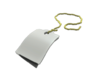
+ |  + 
|
= | "一件自定义名称武器" |
| 名称标签与描述标签工具能够用于编辑物品的名称与描述。这些修改效果对于其他玩家同样可见。 | ||||
 军用消防头盔 |
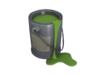
+ | 
|
= |  军用消防头盔 |
| 油漆桶工具能够用于启用某些饰品的备选配色方案。 | ||||
 有良心的示威者标志牌 |
+ | 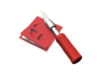 +  (任意自定义图片,此处为示例图) =  (在应用任意可用色板后显示的自定义图片) |
= |  有良心的示威者标志牌 |
| 贴纸工具能够用于为漂亮的小徽章,照片徽章,家族徽章和有良心的示威者标志牌添加个性化贴纸. | ||||
 信号枪 |
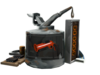
+ | 
|
= | 连杀记录式 信号枪 |
| 连杀工具包能够用于为武器添加连杀记录功能,它能够持续地在玩家的面板上记录其死亡前的杀敌数,并在击杀数到达一定量时于服务器进行通告,同时也会根据加工器的类型与属性附加额外的特效效果。 | ||||
 汤姆斯拉夫 |
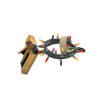
+ | 
|
= |  彩灯 汤姆斯拉夫 |
| 彩灯工具能够用于为个别武器添加节日化效果,在其模型上附加圣诞彩灯。 | ||||
 嘲讽: 坑爹的长号 |
+ | 
|
= |  嘲讽: 坑爹的长号 |
| 稀有转化魔法能够用于为嘲讽物品添加稀有品质。使用后会随机给予该嘲讽一种稀有特效。iven a random effect from the pool displayed when using the tool. | ||||
 帅气男孩的袖珍手枪 |
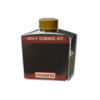
+ | 
|
= |  疏若陌路 帅气男孩的袖珍手枪 |
| 奇异转化药剂能够用于为匹配的物品添加奇异属性及其计数功能。该物品已有的其它自定义内容与特殊属性都将得到保留,例如自定义的名称与描述。平底煎锅只能使用奇异猪油来附加奇异属性。民用级统计记录表也可以用于民用级战绘武器添加奇异属性。 | ||||
 疏若陌路 火箭发射器 |
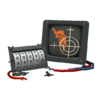
+ | 
|
= | 疏若陌路 火箭发射器 |
| 奇异物品升级部件能够用于为奇异物品附加最多3种可匹配的额外计数功能。 | ||||
疏若陌路 火箭发射器 |
+ | 
|
= | 疏若陌路 加拿大风光 火箭发射器 |
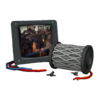
| 奇异过滤器能够用于为奇异物品添加限制,使其计数功能只在指定的某个地图上生效。此外,会根据绑定的地图为武器添加名称前缀。 | ||||
足以致命 火箭发射器 +  疏若陌路 黑匣子 |
+ | 
|
= | 疏若陌路 火箭发射器 + 足以致命 黑匣子 |
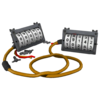
| 奇异计数转移工具能够用于将一件奇异武器的已有计数量转移到另一件同类型物品的奇异物品上。由奇异物品升级部件追加的额外计数也能够被转移,只要转移前后的两件奇异武器都使用过该类奇异物品升级部件。 | ||||
背包
背包会储存玩家拥有的所有物品。每个玩家的背包默认拥有50个物品空位。当玩家升级为高级用户将会自动升级为300个物品空位(每页有50个空位,共6页)。玩家也可以使用背包扩充工具以提升背包空位(每使用1次提供100个空位),最大可提升至3000个空位(总计60页)。
查看
目前在游戏中有两种办法可查看其他玩家的物品,包括物品的染色效果、稀有程度、名称及描述。第一种方法是在玩家死亡后,死亡快照会在展示击杀者的同时显示一件他们装备的非默认物品。第二种方法是玩家存活时,用准星对准某个队友并按下检视按钮(默认为F)以循环查看队友的物品。
